Examples
Customer Support Bot
Automate customer inquiries with AI-powered responses and intelligent routing.
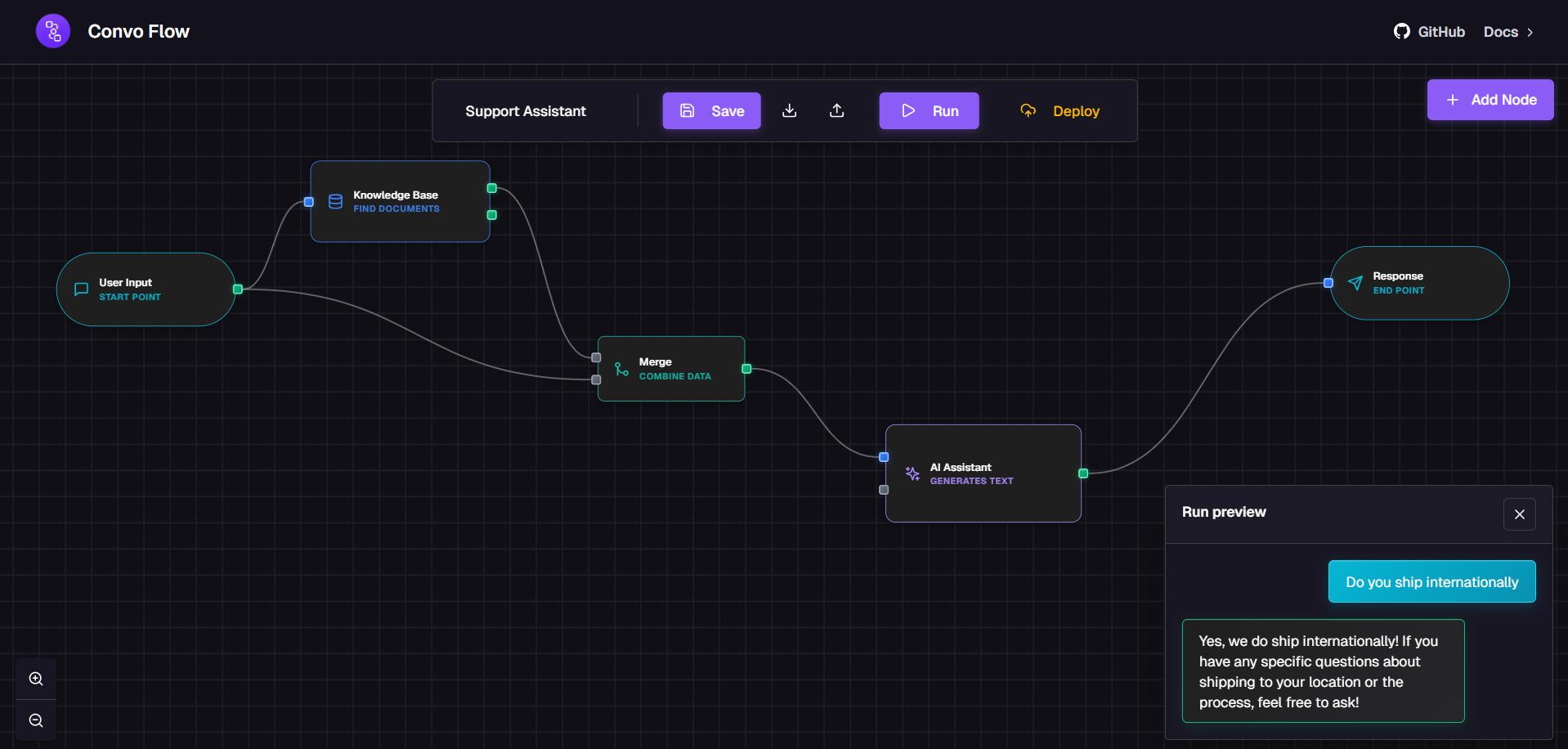
This example demonstrates how to build a customer support bot that can handle inquiries, route conversations to appropriate workflows, and provide intelligent responses using AI.
Example Workflow
Here's an example of a customer support workflow that handles various customer inquiries:
Key Features
- Intent Classification: Automatically categorize customer inquiries (billing, technical support, general questions, etc.)
- Intelligent Routing: Route conversations to specialized workflow branches based on intent
- Knowledge Base Integration: Retrieve relevant information from your knowledge base to provide accurate answers
- Multi-Step Processing: Handle complex queries that require multiple processing stages
- Context-Aware Responses: Use language models to generate personalized, context-aware responses
Workflow Components
- QueryNode: Captures customer inquiries and questions
- IntentClassificationNode: Analyzes the query to determine the customer's intent
- ConditionalNode: Routes the conversation to different branches based on intent classification
- KnowledgeBaseRetrievalNode: Retrieves relevant information from your knowledge base
- LanguageModelNode: Generates intelligent responses using the retrieved context
- ResponseNode: Returns the final response to the customer
Use Cases
- Handle common customer questions 24/7
- Route complex issues to appropriate departments
- Provide instant answers from your documentation
- Escalate issues that require human intervention
- Track and analyze customer inquiry patterns
Configuration Tips
text
Intent Classification Setup:
  - Configure intent categories (billing, support, sales, etc.)
  - Set confidence thresholds for routing decisions
  - Define fallback behavior for unclear intents

Knowledge Base Configuration:
  - Connect your vector database
  - Set retrieval parameters (top_k, similarity threshold)
  - Configure chunking and embedding strategies

Language Model Settings:
  - Use appropriate system prompts for customer support
  - Set temperature for consistent responses
- Configure max tokens for response lengthWas this page helpful?