Examples
Basic Chatbot
Build a simple chatbot that responds to user queries using a language model.
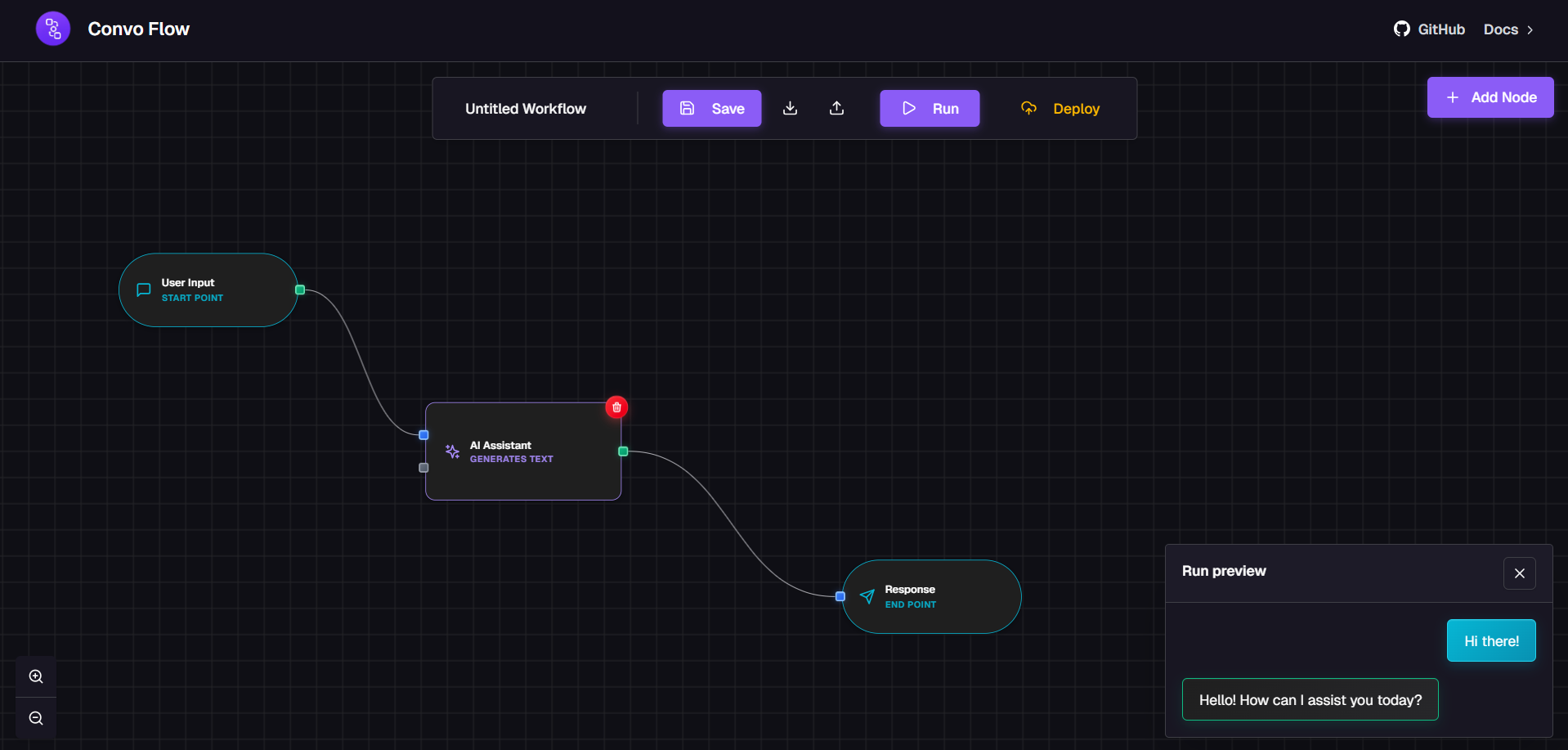
This example demonstrates how to create a basic chatbot workflow that takes user input, processes it through a language model, and returns a response.
Workflow Structure
Here's a basic chatbot flow running in action:
Step-by-Step Instructions
Step 1: Add QueryNode
- Add a QueryNode to the canvas
- Configure it with a default query: "Hello, how can you help me?"
- This node will serve as the entry point for user input
Step 2: Add LanguageModelNode
- Add a LanguageModelNode to the canvas
- Configure it:
- Service: OpenAI (or your preferred provider)
- Model: gpt-3.5-turbo or gpt-4
- System Prompt: "You are a helpful AI assistant."
- Temperature: 0.7
- Max Tokens: 500
Step 3: Add ResponseNode
- Add a ResponseNode to the canvas
- This node will output the final response to the user
Step 4: Connect the Nodes
- Connect QueryNode's "query" output → LanguageModelNode's "query" input
- Connect LanguageModelNode's "response" output → ResponseNode's "response" input
Configuration Details
yaml
QueryNode Configuration:
  - query: "Hello, how can you help me?"

LanguageModelNode Configuration:
  - service: "openai"
  - model: "gpt-3.5-turbo"
  - system_prompt: "You are a helpful AI assistant."
  - temperature: 0.7
  - max_tokens: 500

ResponseNode Configuration:
  - (No configuration needed)
Testing the Workflow
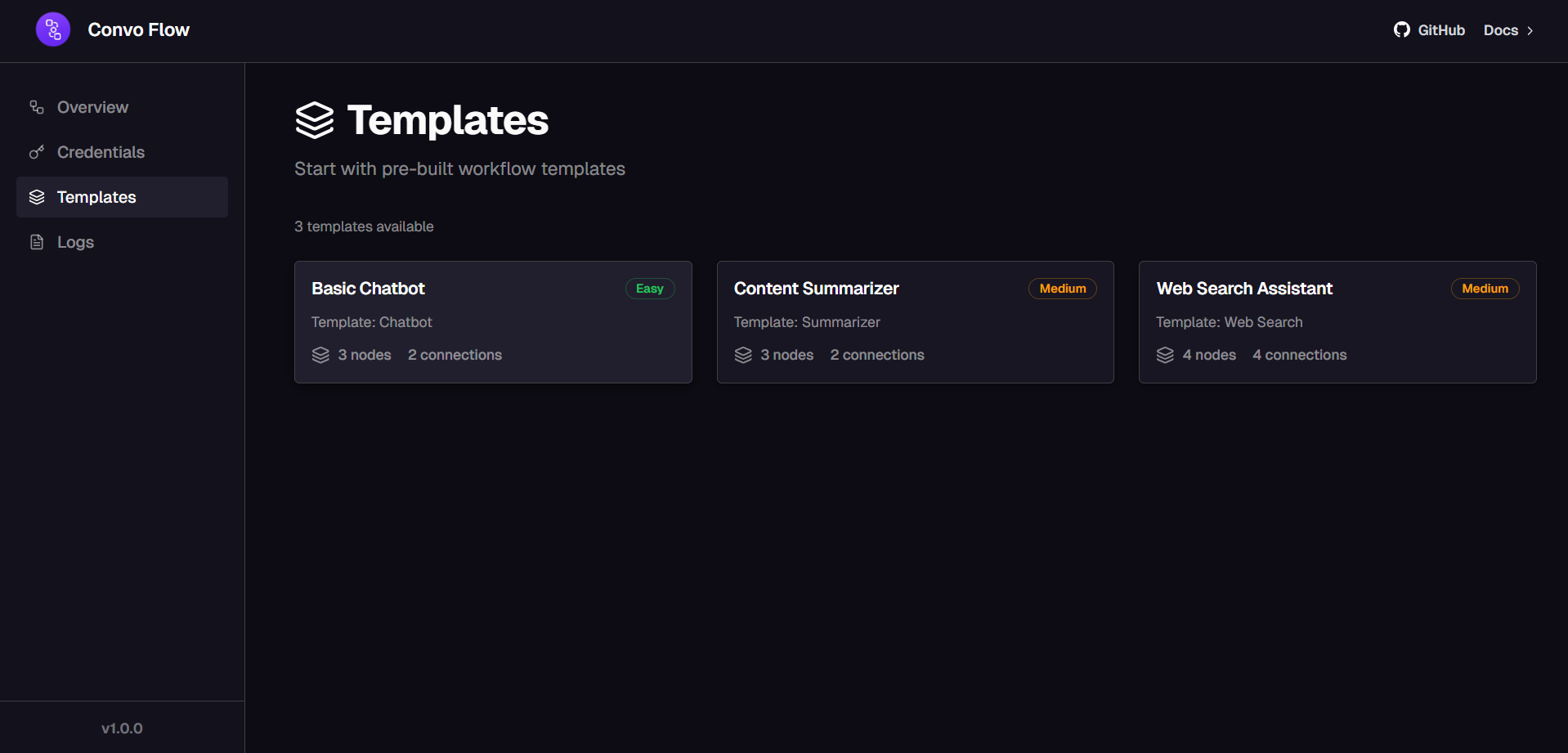
You can also start with pre-built templates from the templates page:
- Click the "Execute" button
- Watch as the workflow processes:
- QueryNode outputs the user query
- LanguageModelNode processes the query and generates a response
- ResponseNode displays the final response
- Check the ResponseNode to see the AI's response
Enhancing the Chatbot
You can enhance this basic chatbot by adding:
- Intent Classification: Add an IntentClassificationNode to categorize user queries
- Knowledge Base: Add a KnowledgeBaseRetrievalNode to provide context-aware responses
- Web Search: Add a WebSearchNode to fetch real-time information
- Conditional Logic: Add a ConditionalNode to handle different conversation paths
Was this page helpful?