Guides
Troubleshooting
Common issues and solutions for ConvoFlow.
Common Issues
Node Not Appearing in Sidebar
Solution: Make sure the node is properly registered in the node registry and the backend server has been restarted.
API Key Errors
Solution: Check that API keys are set in environment variables or configured in the Settings UI. Verify the keys are valid and have the necessary permissions.
Workflow Execution Fails
Solution:
- Check that all required nodes (QueryNode and ResponseNode) are present
- Verify all connections are properly made
- Check node parameters are configured correctly
- Review error messages in the ResponseNode or console
Database Connection Issues
Solution: Verify PostgreSQL is running and the connection string in your .env file is correct.
Debugging Tips
Use the detailed logs page to inspect workflow execution and debug issues:
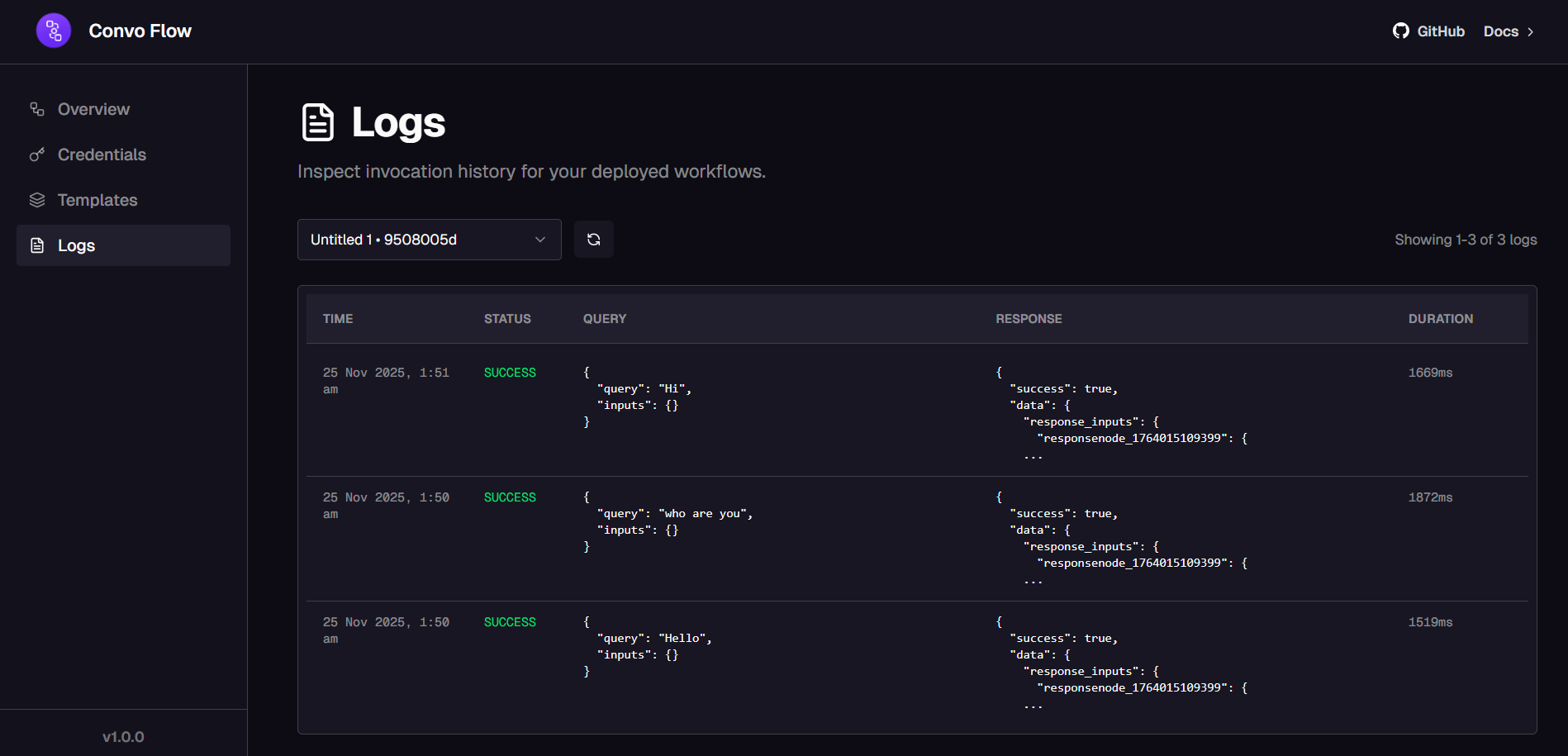
- Use the DebugNode to inspect data at different points in your workflow
- Check browser console for frontend errors
- Check backend logs for API errors
- Test nodes individually before connecting them
- Verify node inputs and outputs match expected types
Need More Help?
If you're still experiencing issues, check the GitHub issues or create a new one with detailed error messages and steps to reproduce.
Was this page helpful?