Connect External Services
Learn how to integrate third-party APIs and external services into your ConvoFlow workflows using the Custom API Node.
Custom API Node
The Custom API Node allows you to make HTTP requests to any external API, enabling seamless integration with third-party services. You can connect to payment gateways, CRM systems, databases, analytics platforms, and more.
Tip: The Custom API Node supports all standard HTTP methods (GET, POST, PUT, PATCH, DELETE) and custom headers for authentication.
Basic Configuration
Configure the Custom API Node with the following parameters. Here's the configuration panel with all available options:
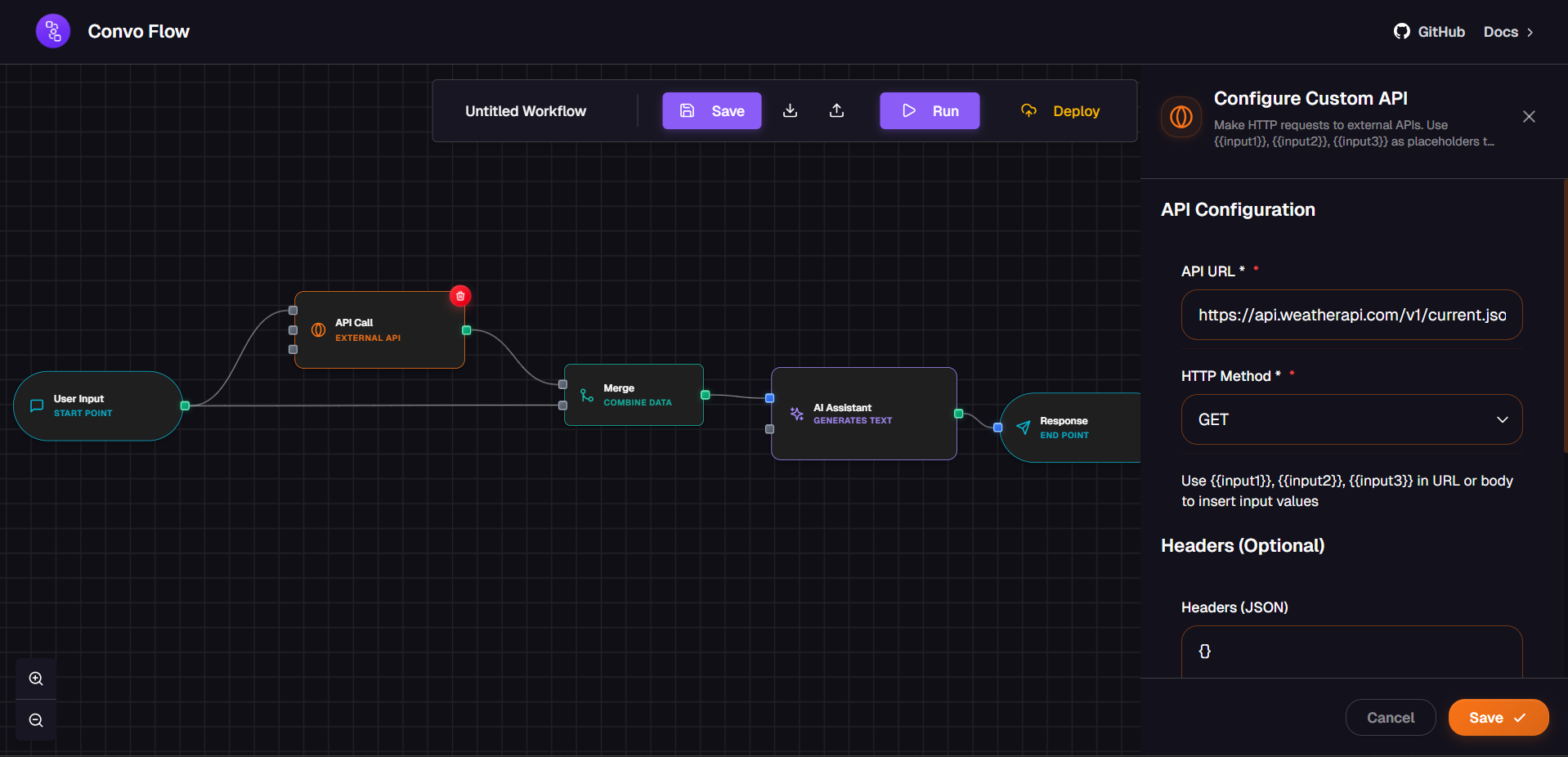
URL
The endpoint URL of the external API you want to connect to.
Method
HTTP method: GET, POST, PUT, PATCH, or DELETE.
Headers
Custom headers for authentication, content type, and other metadata.
Body
Request payload for POST, PUT, and PATCH requests (JSON format).
Authentication Methods
API Key Authentication
Pass API keys in headers or query parameters:
{
  "url": "https://api.example.com/data",
  "method": "GET",
  "headers": {
    "Authorization": "Bearer YOUR_API_KEY",
    "Content-Type": "application/json"
  }
}
OAuth 2.0
Use OAuth tokens for secure authentication:
{
  "url": "https://api.example.com/user/profile",
  "method": "GET",
  "headers": {
    "Authorization": "Bearer OAUTH_ACCESS_TOKEN",
    "Content-Type": "application/json"
  }
}
Basic Authentication
Encode credentials in Base64 for basic auth:
{
  "url": "https://api.example.com/resource",
  "method": "GET",
  "headers": {
    "Authorization": "Basic BASE64_ENCODED_CREDENTIALS",
    "Content-Type": "application/json"
  }
}
Common Integration Examples
Stripe Payment Processing
Create payment intents and process transactions:
{
  "url": "https://api.stripe.com/v1/payment_intents",
  "method": "POST",
  "headers": {
    "Authorization": "Bearer sk_test_YOUR_STRIPE_KEY",
    "Content-Type": "application/x-www-form-urlencoded"
  },
  "body": {
    "amount": 2000,
    "currency": "usd",
    "payment_method_types[]": "card"
  }
}
Slack Notifications
Send messages to Slack channels:
{
  "url": "https://hooks.slack.com/services/YOUR/WEBHOOK/URL",
  "method": "POST",
  "headers": {
    "Content-Type": "application/json"
  },
  "body": {
    "text": "New customer inquiry received!",
    "channel": "#notifications",
    "username": "ConvoFlow Bot"
  }
}
SendGrid Email Service
Send transactional emails via SendGrid:
{
  "url": "https://api.sendgrid.com/v3/mail/send",
  "method": "POST",
  "headers": {
    "Authorization": "Bearer YOUR_SENDGRID_API_KEY",
    "Content-Type": "application/json"
  },
  "body": {
    "personalizations": [{
      "to": [{"email": "customer@example.com"}]
    }],
    "from": {"email": "noreply@yourapp.com"},
    "subject": "Order Confirmation",
    "content": [{
      "type": "text/html",
      "value": "<h1>Thank you for your order!</h1>"
    }]
  }
}
Google Sheets Integration
Append data to Google Sheets:
{
  "url": "https://sheets.googleapis.com/v4/spreadsheets/SHEET_ID/values/Sheet1!A1:append",
  "method": "POST",
  "headers": {
    "Authorization": "Bearer GOOGLE_OAUTH_TOKEN",
    "Content-Type": "application/json"
  },
  "body": {
    "values": [
      ["Customer Name", "Email", "Message", "Timestamp"]
    ]
  }
}
Workflow Execution
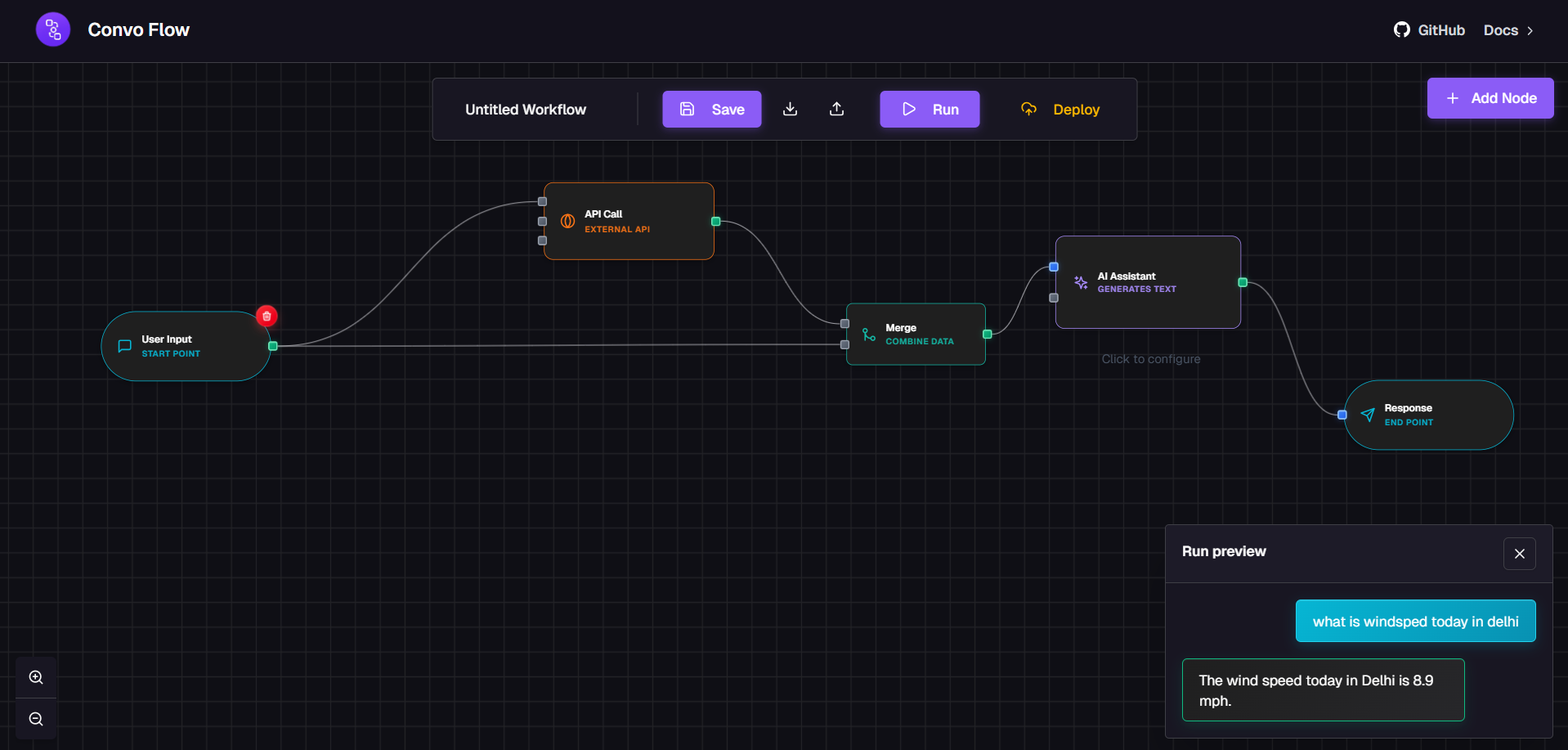
Here's how a Custom API Node looks when executing in a workflow:
Error Handling
The Custom API Node automatically handles HTTP errors and provides detailed response information:
Use conditional nodes to handle different response statuses and implement retry logic for failed requests.
Best Practices
Store API Keys Securely
Use environment variables to store sensitive credentials. Never hardcode API keys in your workflows.
Implement Rate Limiting
Respect API rate limits to avoid throttling. Add delays between requests if needed.
Validate Responses
Always validate API responses before using the data in subsequent workflow steps.
Log API Calls
Use Debug nodes to monitor API requests and responses for troubleshooting.
Handle Timeouts
Set appropriate timeout values and implement fallback mechanisms for slow responses.